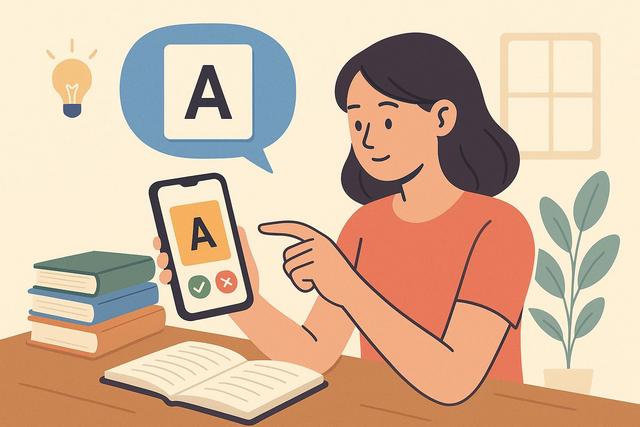
In today's fast-paced educational environment, students constantly seek efficient tools to enhance their learning experiences. Flashcards, a time-tested method, have evolved with technology to become more accessible and dynamic through mobile applications. This guide explores the best flashcard apps available, offering students valuable insights to optimize their study sessions.
Understanding the Power of Flashcards
Flashcards have been used for centuries as a simple yet powerful learning tool. They foster active recall—a learning method that encourages retrieval of information, thus strengthening memory connections. This time-honored technique has been reimagined for the digital age, providing students with interactive and engaging ways to study.
Top Flashcard Apps Worth Considering
1. Quizlet
Quizlet is a well-established app in the educational sector, known for its user-friendly interface and community-driven content.
- Features: Quizlet allows users to create their own flashcards or use sets created by others, making it ideal for a range of subjects. The app includes a variety of study modes, such as "Learn" and "Test," alongside interactive games.
- Scenario: A college student studying biology can access a plethora of flashcard sets on Quizlet, curated by educators and fellow students, thus expanding their learning resources.
2. Anki
Anki is celebrated for its spaced repetition system, which optimizes the intervals at which information is reviewed, enhancing retention.
- Features: Anki supports multimedia flashcard creation, integrating images and sounds for a more immersive learning experience. Its customizability is perfect for subjects requiring deep understanding, such as foreign languages or medical studies.
- Use Case: Medical students can utilize Anki to memorize complex terms by reviewing flashcards at strategically spaced intervals, improving long-term retention.
3. Brainscape
Brainscape adapts the review timing based on how well the user knows each concept, making it another great app for spaced repetition.
- Features: Allows collaboration with teachers and peers on custom flashcard decks. It provides detailed statistics to track progress and understand knowledge gaps.
- Example: An AP History student can collaborate with classmates in creating a deck encompassing key dates and events, using Brainscape to focus on weaker areas.
4. Cram
Cram offers flexibility with features like the "Cram Mode" that helps students memorize quickly, perfect for last-minute studying.
- Features: Offers millions of pre-made flashcard sets. Its unique "Cram Mode" helps in pacing through high volumes of cards efficiently.
- Scenario: A student facing final exams could use Cram for intensive reviewing, utilizing its robust library and quick-study modes.
Choosing the Right Flashcard App
When selecting a flashcard app, consider the unique features and how they align with your study goals. For example:
- Prioritize apps like Quizlet if you favor variety and community-generated content.
- Opt for Anki if you need extensive customization and spaced repetition.
- Choose Brainscape if detailed progress tracking and smart adjustment are necessities.
- Lean towards Cram if you need quick access to large card sets and speedy review sessions.
| Feature | Quizlet | Anki | Brainscape | Cram |
|---|---|---|---|---|
| Spaced Repetition | ? | ? | ? | ? |
| Multimedia Content | ? | ? | ? | ? |
| Collaborative | ? | ? | ? | ? |
Common Mistakes and Misconceptions
Misusing Flashcards
Many students make the mistake of passively reading flashcards instead of actively engaging with them. For best results, use them for self-testing, not just recognition.
Overloading Information
Another frequent mistake is cramming too much information onto a single card. Keep each flashcard focused on a single piece of information to enhance recall.
Practical Recommendations
- Regular Review: Schedule consistent study sessions rather than sporadic marathon studying.
- Diversify Methods: Combine flashcard study with other learning techniques for a well-rounded approach.
- Engage with Material: Always attempt to recall what’s on the back of the card before flipping it over.
FAQ Section
What makes an effective flashcard?
An effective flashcard focuses on a single question-answer pair and encourages active recall by challenging the learner to answer the question before seeing the answer.
Are paid flashcard apps worth the investment?
For advanced features like spaced repetition or personalized content, paid versions often provide significant value, especially for subjects requiring detailed study.
How often should I review my flashcards?
Utilize the principle of spaced repetition: start by reviewing new cards daily, then gradually increase intervals depending on your familiarity with the content.
Conclusion
Leveraging flashcards is a strategic way for students to enhance their learning efficiency. By selecting the right app, aligning it with study habits, and avoiding common pitfalls, students can significantly improve their educational outcomes. Begin with small daily sessions, track progress, and explore various features offered by these applications to suit your educational needs.

