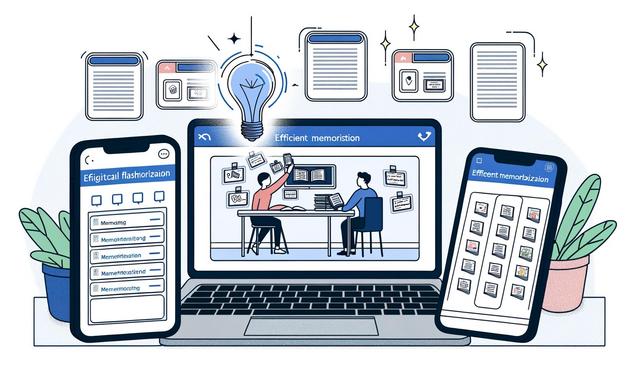
Digital flashcard apps help students and professionals review information, strengthen memorization, and retain key concepts more efficiently. In the digital age, learners are turning to innovative technology to support their learning processes. These tools make it easier to organize study material, repeat important ideas, and improve information recall through structured review.
Introduction to Digital Flashcard Apps
Flashcards have long been a staple in educational practices, used by students to memorize and understand complex subjects. With the advent of technology, digital flashcard apps have revolutionized the way learners engage with content. These apps offer a range of features, including spaced repetition, multimedia integration, and analytics, to optimize studying. In this article, we explore the best digital flashcard apps available, their unique features, and how they can support memory and learning.
A digital flashcard is a virtual card that usually shows a question, word, image, or concept on one side and an answer or explanation on the other. Learners use it to test themselves rather than simply reread notes. This active recall process can make review sessions more focused because the learner must retrieve the answer from memory before checking it.
Digital flashcard apps are useful for many types of study material, including vocabulary, definitions, formulas, dates, key concepts, and short explanations. They are especially helpful when a subject requires repeated practice over time. Instead of reviewing every card in the same way, many apps help learners focus more often on the cards they find difficult.
Key Features of Digital Flashcard Apps
When choosing a digital flashcard app, several key features should be considered:
- Spaced Repetition: Most flashcard apps incorporate spaced repetition algorithms to help users review information at optimal intervals, enhancing long-term retention. Learn more about spaced repetition.
- Multimedia Support: The ability to include images, audio, and videos can cater to various learning styles and improve the understanding of complex concepts.
- Usability: A user-friendly interface ensures learners can easily create, organize, and review flashcards without technical difficulties.
Spaced repetition means that information is reviewed at increasing intervals instead of being repeated many times in one short session. For example, a learner may review a new card today, then again later, and then after a longer delay if the answer is remembered correctly. This method is designed to strengthen long-term retention by returning to information before it is forgotten.
Multimedia support can also make flashcards easier to understand. An image can help clarify a visual concept, audio can support pronunciation practice, and video can provide an additional explanation when the subject is complex. These elements should be used to support the learning goal, not to make the cards overly complicated.
Usability is important because a flashcard app should reduce friction during study. Learners need to create cards, organize decks, review material, and track progress without spending too much time managing the tool itself. A clear interface can help students maintain consistent review sessions.
Top Digital Flashcard Apps
The following digital flashcard apps are commonly used for memorization, study organization, and review. Each one offers a different approach to creating and practicing flashcards.
Anki
Anki is widely recognized for its robust spaced repetition system. It allows users to create custom decks or download shared decks from an extensive online library. Anki supports multimedia additions, making it versatile for different learning preferences. Explore Anki.
Anki can be useful for learners who want a high level of control over their decks. Custom decks allow users to write cards in their own words, which can make the material more personal and easier to remember. Shared decks can also save time when a learner wants to begin reviewing an existing topic.
Quizlet
Quizlet offers a visually appealing and interactive platform. It supports various study modes such as flashcards, games, and quizzes. Its collaborative feature allows users to share decks with classmates or colleagues. Discover Quizlet.
Quizlet can support learners who prefer varied practice formats. Flashcards help with direct recall, while games and quizzes can add variety to review sessions. The option to share decks can also be helpful in group study situations where classmates or colleagues are working with the same material.
Brainscape
Brainscape employs a confidence-based repetition method, adjusting the frequency of flashcard review based on user input. This approach bolsters memory by focusing on weaker areas. Visit Brainscape.
A confidence-based repetition method asks the learner to judge how well they know each card. Cards marked as less familiar can then return more often during review. This helps the learner spend more time on difficult content and less time on material that is already well known.
Cram
Cram provides flexibility with multiple study modes, including 'Cram Mode' for last-minute preparations. The app also offers mobile compatibility, making it accessible on the go. Check Cram.
Cram can be practical for learners who need flexible study options. Mobile compatibility makes it possible to review cards during short breaks, while different study modes allow users to adapt their review to the time available.
Comparison of Key Flashcard App Features
The table below summarizes the features already mentioned for each app. It can help learners compare the main differences before choosing a study tool.
| App | Main feature mentioned | Useful for |
|---|---|---|
| Anki | Robust spaced repetition system and custom or shared decks | Learners who want structured long-term review and customizable decks |
| Quizlet | Flashcards, games, quizzes, and deck sharing | Learners who want interactive study modes and collaboration |
| Brainscape | Confidence-based repetition method | Learners who want to focus review on weaker areas |
| Cram | Multiple study modes, including 'Cram Mode,' and mobile compatibility | Learners who need flexible review options and study on the go |
Making Flashcards Work for You
To maximize the effectiveness of digital flashcards, consider the following strategies:
- Consistent review sessions, ideally on a daily basis, to prevent information overload.
- Leveraging multimedia elements to engage different sensory processes.
- Creating personalized flashcards instead of relying solely on pre-made decks to tailor your study to personal learning goals.
Consistency is one of the most important parts of using flashcard apps. Short review sessions repeated regularly are often easier to manage than long sessions completed only before a test or deadline. Daily review can also help learners notice which cards are still difficult and which ones are becoming easier.
Personalized flashcards can improve understanding because the learner must decide what information matters and how to phrase it clearly. A strong flashcard usually focuses on one idea at a time. If a card asks several questions at once, it can become harder to answer and harder to review accurately.
Multimedia elements should be added when they clarify the concept. For example, an image may support a biology term, an audio clip may help with language learning, and a short video may support a process that is difficult to explain with text alone. The goal is to make the card easier to understand and remember.
Practical Steps for Better Memorization
Digital flashcard apps work best when they are used with a clear study routine. A simple process can help learners stay organized and avoid creating cards that are too vague or too detailed.
- Choose one topic at a time: Start with a chapter, lecture, vocabulary list, or specific skill.
- Create clear cards: Write one question or prompt per card whenever possible.
- Add the answer in simple language: Use wording that is easy to understand during review.
- Review consistently: Use regular sessions instead of waiting until the last moment.
- Update difficult cards: If a card is confusing, rewrite it or add a helpful image, audio file, or example.
This step-by-step approach keeps the focus on learning rather than on collecting large numbers of cards. It also makes it easier to identify which concepts need more attention.
Conclusion: The Transformative Power of Flashcard Apps
Digital flashcard apps have redefined study practices by integrating technology-driven features designed to enhance memory retention. By choosing the suitable app and employing effective study strategies, learners can achieve significant improvements in their retention capabilities. Whether you're a student tackling exams or a professional learning new skills, these apps offer invaluable support on your educational journey.
The best choice depends on how the learner wants to study. Some users may prefer a strong spaced repetition system, while others may value collaborative decks, interactive study modes, or mobile access. In every case, digital flashcard apps are most effective when they are used regularly and when the cards are clear, focused, and adapted to the learner’s goals.
Actionable Takeaways
- Experiment with different apps to find one that suits your learning needs.
- Utilize spaced repetition to enhance retention over time.
- Integrate a mixture of text and multimedia elements to engage diverse learning styles.
- Keep flashcards focused on one concept whenever possible.
- Review difficult cards more often and revise unclear cards when needed.
FAQ About Digital Flashcard Apps
What are digital flashcard apps?
Digital flashcard apps are study tools that let learners create, organize, and review virtual flashcards. They are used to practice recall and memorize key concepts.
How does spaced repetition help memorization?
Spaced repetition schedules reviews at intervals over time. This helps learners return to information before it is forgotten and supports long-term retention.
Can flashcard apps include images, audio, and videos?
Yes. Many digital flashcard apps support multimedia elements such as images, audio, and videos. These can help explain complex concepts and support different learning styles.
Should learners use pre-made decks or create their own flashcards?
Both options can be useful. Pre-made decks can save time, while personalized flashcards can better match a learner’s course, goals, and way of understanding the material.
Which digital flashcard apps are mentioned in this article?
This article mentions Anki, Quizlet, Brainscape, and Cram. Each app offers different features for flashcard review, memorization, and study organization.

