
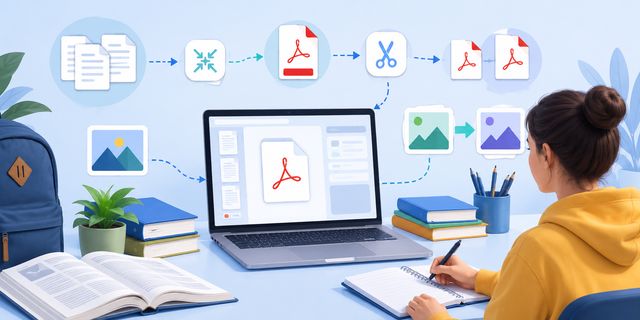
Free PDF tools help students and teachers manage digital learning files more easily every day. Assignments, lesson plans, presentations, scanned notes, and research papers now circulate almost entirely online. However, managing these files can quickly become frustrating without the right tools.
Many students still struggle with oversized PDF files, incompatible image formats, or documents split across multiple files. Teachers face similar problems when sharing coursework, correcting assignments, or preparing online lessons.
Fortunately, free online tools now make these tasks much easier. They can help with common document actions such as combining several files, reducing file size, extracting pages, and converting image formats.
The following tools help students, teachers, tutors, and online learners manage documents directly from a browser without installing expensive software:
- Merge PDF
- Compress PDF
- Split PDF
- JPG to WebP
- WebP to JPG
These tools work on Windows, Mac, Linux, Chromebook, tablets, and smartphones. As a result, learners can stay productive whether they study at home, at school, or while traveling.
Why PDF Tools Matter for Online Learning
Education increasingly depends on digital files. Schools, universities, and online training platforms now exchange thousands of PDF documents daily.
A PDF is a document format used to keep text, images, and page layout stable across different devices. This is why teachers often use it for course materials and why students frequently submit assignments in this format.
Students regularly work with:
- lecture notes;
- homework assignments;
- research papers;
- scanned documents;
- presentation slides;
- ebooks and study guides.
Teachers also rely heavily on digital materials for classroom organization and remote learning.
However, file management problems quickly appear:
- PDFs become too large to upload;
- pages get mixed between documents;
- image formats fail on some platforms;
- students send incomplete assignments.
Simple browser-based tools solve these problems quickly while remaining accessible to non-technical users.
Merge PDF: Combine Course Materials Into One File
Students often download documents from several sources during the same class. Lecture notes, exercises, and reference materials may arrive as separate files.
Managing many PDFs becomes confusing very quickly.
Merge PDF allows users to combine multiple PDF files into one organized document.
Useful for Students
This tool helps students:
- merge lecture slides;
- combine research articles;
- assemble assignment pages;
- organize revision notes;
- create cleaner project submissions.
Instead of sending several attachments, students can deliver one structured file.
This also reduces the risk of forgetting pages before submission.
Helpful for Teachers and Tutors
Teachers frequently prepare documents for students. Merge PDF simplifies this process because educators can create one complete learning package.
For example, a teacher can combine:
- lesson instructions;
- exercises;
- answer sheets;
- grading rubrics.
Students receive a cleaner and more professional document, which improves readability and organization.
Compress PDF: Reduce File Size for Easier Uploads
Many educational platforms limit upload sizes. Unfortunately, scanned documents and image-heavy PDFs often exceed these limits.
Students then face frustrating upload errors shortly before deadlines.
Compress PDF reduces file size while keeping documents readable.
Why Compression Helps Students
Large files create several problems:
| Problem | Result |
|---|---|
| Slow uploads | Missed deadlines |
| Email attachment limits | Failed submissions |
| Heavy mobile downloads | Poor accessibility |
| Full cloud storage | Organization issues |
Compressing PDFs makes files easier to share across learning platforms.
Better for Mobile Learning
Many students now study directly from smartphones or tablets. Smaller PDF files load faster and consume less mobile data.
This matters especially for:
- remote learning;
- international students;
- online courses;
- low-bandwidth internet connections.
Teachers also benefit because compressed course materials become easier to distribute to large groups.
Split PDF: Extract Specific Pages for Assignments
Students rarely need to send an entire textbook or large report. Usually, only specific pages matter.
Split PDF allows users to extract selected pages from a document.
Common Educational Uses
Students can use Split PDF to:
- submit only required pages;
- isolate exercises;
- separate chapters for revision;
- extract signed forms;
- organize research materials.
This keeps files cleaner and easier to manage.
Practical for Academic Research
University students often work with long academic papers. However, only a few pages may contain useful information.
Instead of storing huge files repeatedly, students can extract only relevant sections.
This improves organization while reducing storage space.
Useful for Teachers
Teachers can also separate worksheets, quizzes, or exam pages before sharing them with students.
This creates a more focused learning experience and avoids unnecessary clutter.
JPG to WebP: Optimize Educational Websites and Learning Platforms
Educational websites increasingly depend on visual content. Online courses, blogs, and training platforms often contain hundreds of images.
Unfortunately, large JPG files slow down websites significantly.
JPG to WebP converts images into a lighter format that improves performance.
JPG is a common image format used for photos and general visual content. WebP is another image format designed to create lighter files while keeping images suitable for web pages.
Why Faster Educational Websites Matter
Students lose patience when websites load slowly. Faster pages improve:
- user experience;
- mobile accessibility;
- online course performance;
- content delivery speed.
This becomes especially important for educational platforms serving international audiences.
Helpful for Teachers and Content Creators
Teachers creating online lessons or educational blogs can reduce image sizes without sacrificing quality.
This helps improve:
- course loading speed;
- SEO performance;
- bandwidth usage;
- hosting efficiency.
Smaller images also make presentations and downloadable resources easier to distribute online.
WebP to JPG: Keep Educational Files Compatible Everywhere
Although WebP images offer many benefits, some educational systems still prefer traditional JPG files.
Older software, printers, or submission platforms may not support WebP correctly.
WebP to JPG quickly converts images into a universally compatible format.
Important for Assignments and Presentations
Students often need maximum compatibility when submitting coursework.
JPG files work almost everywhere:
- school platforms;
- PowerPoint presentations;
- printers;
- online forms;
- older computers.
This reduces technical problems before deadlines.
Easier Collaboration Between Students
Group projects often involve multiple devices and software environments.
Using JPG images simplifies collaboration because nearly every application supports the format.
Students avoid unnecessary compatibility issues while focusing on the actual project.
Online Tools Help Students Save Money
Many students operate on limited budgets. Expensive PDF software subscriptions often make little sense for occasional use.
Free online tools provide a simpler alternative.
No Installation Required
Browser-based tools avoid:
- software downloads;
- complicated setup;
- paid subscriptions;
- system compatibility issues.
Students can start working immediately from almost any device.
Accessible Across Different Operating Systems
Educational environments use many different systems.
These tools work on:
- Windows;
- macOS;
- Linux;
- Chromebooks;
- Android;
- iPhone and iPad.
This flexibility helps students stay productive both at home and in classrooms.
Digital Skills Are Becoming Essential in Education
Modern education now depends heavily on digital organization. Students increasingly need practical file management skills for both academic and professional life.
Learning how to:
- organize PDFs;
- compress documents;
- optimize images;
- manage online submissions;
can improve productivity far beyond school itself.
These small digital skills often save significant time during studies and future work environments.
Simple Tools Reduce Academic Stress
Deadlines already create enough pressure for students. Technical problems should not make things worse.
Simple online tools help reduce stress because students can quickly:
- fix upload issues;
- organize assignments;
- prepare presentations;
- convert incompatible files.
Teachers also benefit because students submit cleaner and more manageable documents.
This creates smoother communication between educators and learners.
FAQ About Free PDF Tools for Students and Teachers
What are free PDF tools used for in education?
Free PDF tools are used to manage learning documents online. Students and teachers can merge PDF files, compress large documents, split specific pages, and prepare files for assignments, lessons, or online courses.
Why should students compress PDF files?
Students should compress PDF files when documents are too large to upload, email, or store easily. Smaller files are also easier to open on smartphones, tablets, and slower internet connections.
When is it useful to split a PDF?
Splitting a PDF is useful when only selected pages are needed. For example, a student may extract required assignment pages, signed forms, exercises, or specific sections of a research document.
Why convert JPG images to WebP?
Converting JPG images to WebP can reduce image size for educational websites, online courses, and blogs. Lighter images help pages load faster and make online resources easier to access.
Why convert WebP images back to JPG?
WebP to JPG conversion is useful when an educational platform, printer, presentation tool, or older software works better with JPG files. JPG remains widely compatible across many systems.
Conclusion
Digital learning continues to grow, and document management has become part of everyday education.
With:
students and teachers can manage documents and images more efficiently without relying on expensive software.
These tools remain simple, fast, and accessible to everyone, including beginners.
For schools, universities, online educators, and self-learners, small productivity improvements often create better learning experiences over time.

