
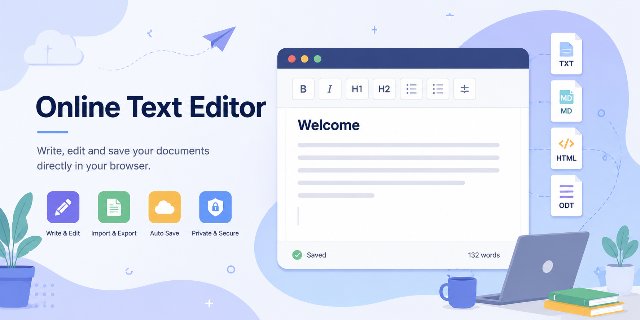
An online ODT editor is useful when you need to open, edit or export LibreOffice Writer files quickly from a browser. LibreOffice remains one of the most popular free office suites available today. Millions of users rely on it for documents, spreadsheets, and presentations because it offers strong compatibility and powerful editing features.
However, many people do not always need a complete desktop office suite for simple tasks.
Sometimes you only want to:
- open an ODT file quickly;
- edit a few paragraphs;
- convert a document;
- write notes;
- export plain text;
- work from a browser without installing software.
That is where an online ODT editor becomes useful.
The Online Text Editor provides a lightweight browser-based solution designed for quick document editing and format conversion. Instead of replacing LibreOffice, the tool acts as a practical companion for everyday writing and small editing tasks.
Why an Online ODT Editor Makes Sense Today
Modern users work across multiple devices. Many people now switch between desktops, tablets, Chromebooks, and smartphones during the same day.
Because of this, lightweight online tools continue to grow in popularity.
Launching a complete office suite for a quick modification often feels unnecessary. A browser-based editor solves this problem because users can start working immediately.
An online editor helps in situations such as:
- opening a downloaded ODT file;
- reviewing class notes;
- editing a draft remotely;
- copying formatted text;
- converting Markdown into HTML;
- making quick corrections while traveling.
The experience feels faster because the editor loads directly inside the browser.
Open LibreOffice ODT Files Without Installing Software
ODT files use the OpenDocument format supported by LibreOffice Writer. Although this format remains widely used, many online services still focus mainly on Microsoft Word documents.
As a result, users sometimes struggle to preview or edit ODT files online.
The browser editor simplifies this process because it supports direct ODT import.
Users can:
- select an ODT file;
- open the document online;
- edit the content;
- export the file again.
This workflow becomes especially useful for students, remote workers, and casual users who only need occasional document access.
In simple terms, an ODT file is a document format used by LibreOffice Writer. It can contain formatted text and is commonly used for reports, assignments, notes and other written documents.
A Lightweight Alternative for Small Editing Needs
Desktop office software remains essential for advanced formatting and large professional projects. Nevertheless, many users simply need a fast editing environment for basic tasks.
For example:
- fixing spelling mistakes;
- updating short documents;
- editing notes;
- preparing blog drafts;
- formatting quick reports;
- reviewing exported content.
In these situations, a browser editor often feels more practical.
The interface stays clean and focused, so users can concentrate on writing instead of navigating complex menus.
Support for Multiple File Formats
Modern productivity tools must support different formats because users constantly move content between applications.
The editor supports several popular document types.
Import support
| File format | Supported |
|---|---|
| TXT | Yes |
| Markdown | Yes |
| HTML | Yes |
| ODT | Yes |
Export support
| File format | Supported |
|---|---|
| TXT | Yes |
| Markdown | Yes |
| HTML | Yes |
| ODT | Yes |
This compatibility improves flexibility because users can reuse content easily across websites, note-taking apps, and office software.
Each format has a simple use. TXT is useful for plain text. Markdown is useful for structured writing with simple syntax. HTML is useful for web pages. ODT is useful for LibreOffice Writer documents.
Browser-Based Editing Improves Privacy
Many cloud editors upload documents to external servers. Some users dislike this approach because private documents may pass through third-party systems.
The online editor takes a different direction.
The processing happens locally inside the browser, so documents stay on the user’s device whenever possible.
This design offers several advantages:
- improved privacy;
- faster response times;
- reduced upload delays;
- fewer cloud dependencies;
- better control over personal files.
Privacy-focused tools continue gaining popularity because users increasingly care about how online services manage their documents.
Automatic Local Saving Helps Prevent Data Loss
Losing written content remains frustrating. Browser crashes, accidental tab closures, or unexpected refreshes can erase work quickly.
The editor reduces this risk through automatic local saving.
The browser stores document content locally, which helps users recover their work after reopening the page.
Autosave becomes particularly useful for:
- article drafts;
- temporary notes;
- brainstorming sessions;
- student assignments;
- quick writing projects.
This feature also improves usability because users no longer need to save manually every few minutes.
A Useful Tool for Students and Online Learning
Students often need quick access to lightweight writing tools. Installing large office applications is not always possible, especially on school computers or mobile devices.
An online editor provides a simpler alternative.
Students can:
- open assignments quickly;
- edit notes online;
- export text files;
- work with Markdown;
- continue writing on mobile devices.
Because the editor works directly inside the browser, students can switch devices easily without complex setup.
Markdown and HTML Support for Content Creation
Markdown continues growing in popularity among writers, developers, and SEO professionals because it remains simple and portable.
The editor supports Markdown import and export, which creates a flexible workflow for online publishing.
For example, users can:
- write content inside the editor;
- export the text as Markdown;
- generate HTML;
- publish the content online.
HTML export also helps website owners who want clean formatted content for blogs or documentation pages.
This flexibility makes the editor useful beyond simple note-taking.
Mobile-Friendly Writing Experience
Traditional office suites sometimes feel difficult to use on smaller screens. Toolbars become crowded, and navigation slows down the writing process.
A lightweight browser editor performs better on smartphones and tablets because it focuses on core editing functions.
Users can:
- open documents quickly;
- make edits comfortably;
- export files easily;
- continue working while traveling.
Mobile productivity continues increasing every year, so responsive browser tools become more valuable over time.
Free Online Software for Everyday Productivity
Many users do not want another paid subscription for simple editing tasks.
A free online text editor provides a convenient alternative because users can:
- access the tool instantly;
- edit documents without registration;
- save files locally;
- work without software installation.
This simplicity creates a better experience for occasional users who only need lightweight productivity features.
Fast Browser Tools Improve Workflow Efficiency
Heavy web applications often consume large amounts of memory and processing power. In contrast, lightweight browser tools usually feel faster and more responsive.
The editor focuses on essential writing functions instead of unnecessary complexity.
This lightweight approach improves:
- loading speed;
- responsiveness;
- usability;
- accessibility on older devices.
Performance also matters for SEO because search engines increasingly value fast user experiences.
LibreOffice and Online Editors Work Well Together
Online editors should not replace full office suites entirely. Instead, they work best as complementary tools.
LibreOffice remains ideal for:
- advanced formatting;
- complex layouts;
- long professional documents;
- spreadsheets and presentations.
Meanwhile, a browser editor works better for:
- quick edits;
- lightweight writing;
- fast ODT access;
- temporary notes;
- quick exports.
Using both tools together creates a more flexible workflow.
Why This Online Text Editor Stands Out
Many online editors only support plain text or DOCX files. Few lightweight browser tools handle LibreOffice ODT documents effectively.
This editor stands out because it combines:
- ODT support;
- Markdown compatibility;
- HTML export;
- local autosave;
- browser-based editing;
- privacy-focused processing.
At the same time, the interface stays clean and approachable for casual users.
FAQ About the Online ODT Editor
What is an online ODT editor?
An online ODT editor is a browser-based tool that lets users open, edit and export ODT documents without installing a full office suite.
Can the editor open LibreOffice Writer files?
Yes. The editor supports ODT import, which makes it useful for opening LibreOffice Writer documents directly in the browser.
Which formats can be imported and exported?
The editor supports TXT, Markdown, HTML and ODT for both import and export.
Does the editor replace LibreOffice?
No. LibreOffice remains useful for advanced formatting, complex layouts, spreadsheets and presentations. The online editor is better suited to quick edits, notes and simple conversions.
Why is local saving useful?
Local saving helps reduce the risk of losing text after a browser crash, an accidental tab closure or a page refresh.
Conclusion
LibreOffice remains one of the best free office suites available today. However, many situations only require a lightweight editing solution for quick document tasks.
The Online Text Editor offers a practical browser-based alternative for these smaller needs.
Users can:
- open ODT files online;
- edit text quickly;
- import and export multiple formats;
- save documents locally;
- work without installing software.
Because the editor runs directly inside the browser, it stays fast, lightweight, and accessible across many devices.
For occasional editing, quick writing, or simple document conversion, a lightweight online editor often becomes the easiest and fastest solution.

